
Automated Screenshots & Work Evidence Software
Complete Visual Proof of Work with Privacy-First Transparency and Trend Analysis

Eliminate billing disputes, verify project progress, and convert daily digital activity into decision-ready insights. Worktrak provides automated screenshot logs and real-time trend analytics to keep remote, hybrid, and outsourced teams accountable without invading personal privacy.
Why Visual Work Evidence Matters for Distributed Teams
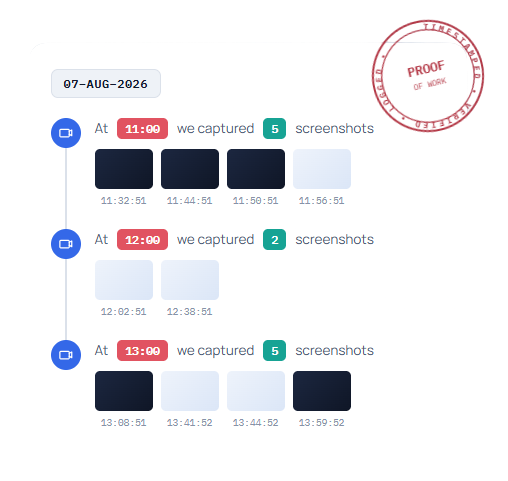
Managing remote teams and client-facing projects requires more than just time records—it requires verifiable context. Relying strictly on manual logs leaves room for miscommunication, unbilled overtime, and payment delays.
Worktrak continuously captures periodic visual proofs, tying them directly to specific projects, time logs, and productivity trends. Managers get instant verification while employees retain full visibility over their captured data.
Eliminate Billing Disputes: Provide clients with automated, timestamped visual proof for every billed hour.
Privacy-First Design: Features customizable interval settings, and auto-deletion policies.
Decision-Ready Analytics: Combine screenshot logs with active time metrics to identify process bottlenecks.
Key Features: Screenshots & Work Evidence
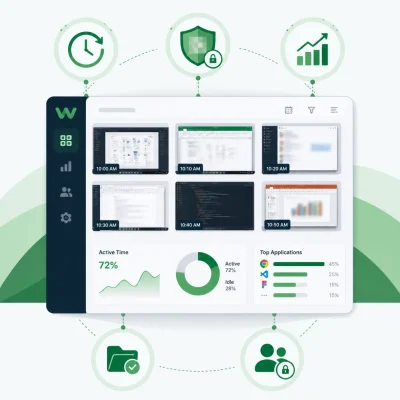
Customizable Screenshot Frequency
Set screen capture intervals at the company, department, or individual level—ranging from every few minutes to random samples. Capture single or multi-monitor setups effortlessly to ensure full context across complex workflows.
Integrated Activity & Trend Reports
Transform raw visual logs into meaningful productivity intelligence. View screenshots alongside active vs. idle time, application usage, and focus trends to evaluate team efficiency holistically.
Client-Ready Proof of Work Portals
Streamline invoicing and payroll. Generate shareable, exportable proof-of-work reports complete with timestamps and app details to validate billable hours for clients and external stakeholders.
Role-Based Access & Auto-Deletion Rules
Maintain full data governance and regulatory compliance. Assign specific view permissions to project managers or HR leaders, and configure auto-deletion policies (e.g., automatically purge visual logs after 30 or 60 days).
How Worktrak Visual Evidence Works

Configure Policies
Set capture intervals, enable screen blurring, and define role-based access permissions in seconds.

Automate Capture
As employees track time, Worktrak automatically captures background snapshots synced with active apps and timestamps.

Review & Verify
Access web-based thumbnail galleries in real time without downloading bulky files.

Export Screenshots
Generate verified visual timeline based screenshots to review during internal performance check-ins.
Frequently Asked Questions
Screenshot and work evidence tracking software periodically captures visual snapshots of employee desktop screens while they work. It syncs these images with time logs to provide proof of billable work, verify project status, and streamline client invoicing.
No. At present Worktrak does not support automatic blurring features. We will include that in near future updates.
No. Worktrak only records activity and screenshots when the active timer is running or during defined shift schedules. No data is logged after work hours or during paused breaks.