
WorkTrak On-Premise: Secure Offline Employee Monitoring Software
Track employee productivity and manage tasks locally without internet or external cloud connectivity.
Install Worktrak on-premise inside your network. All data stays inside your network, No yearly subscription, no limitation in screenshot duration, track attendance, website usage, application usage. Customization is supported.
Why WorkTrak On-Premise?
Complete Control Over Your Corporate Data with Air-Gapped Monitoring
If your organization prioritizes strict data privacy compliance and demands total isolation of production networks from unsecured external environments like the public internet, WorkTrak On-Premise is engineered for you.
Our self-hosted employee monitoring solution ensures all sensitive operational data remains completely secure within your company’s internal, controlled IT environment. Enjoy the full feature set of our cloud edition deployed directly on your local infrastructure requiring minimal hardware investment and fast, straightforward deployment.
Solution Architecture
Built for Performance on Your Local Server
WorkTrak’s efficient client-server architecture guarantees low bandwidth consumption while delivering enterprise-grade benefits:
✔ Air-Gapped Operation: Zero external dependencies or cloud connectivity required.
✔ Robust Platform: Built natively on the high-performance Microsoft .Net framework.
✔ Scalable Backend: Powered by MongoDB for high-speed, reliable data handling as your organization scales.
✔ Perpetual Licensing: Secure permanent software ownership with a single-server instance capable of supporting thousands of client nodes seamlessly.
Core Feature Reports
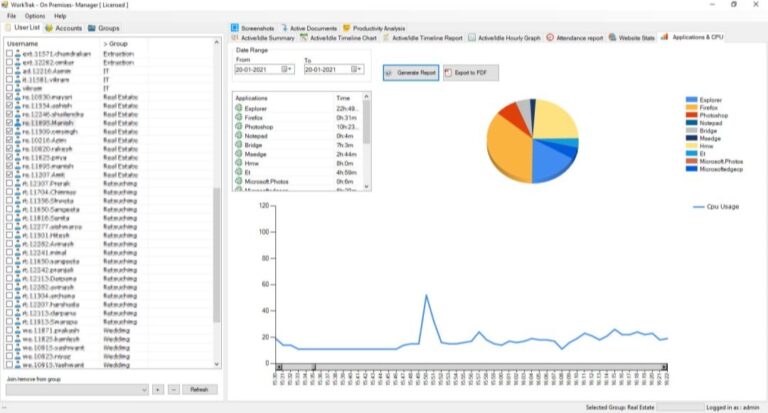
1. Application and CPU Usage Monitoring
Effortlessly track and analyze workplace productivity with precise application usage tracking. WorkTrak measures time spent across active software programs and CPU resources, presenting insightful metrics at a glance. Select your target team, define a date range, and instantly generate detailed analytical reports on software engagement.
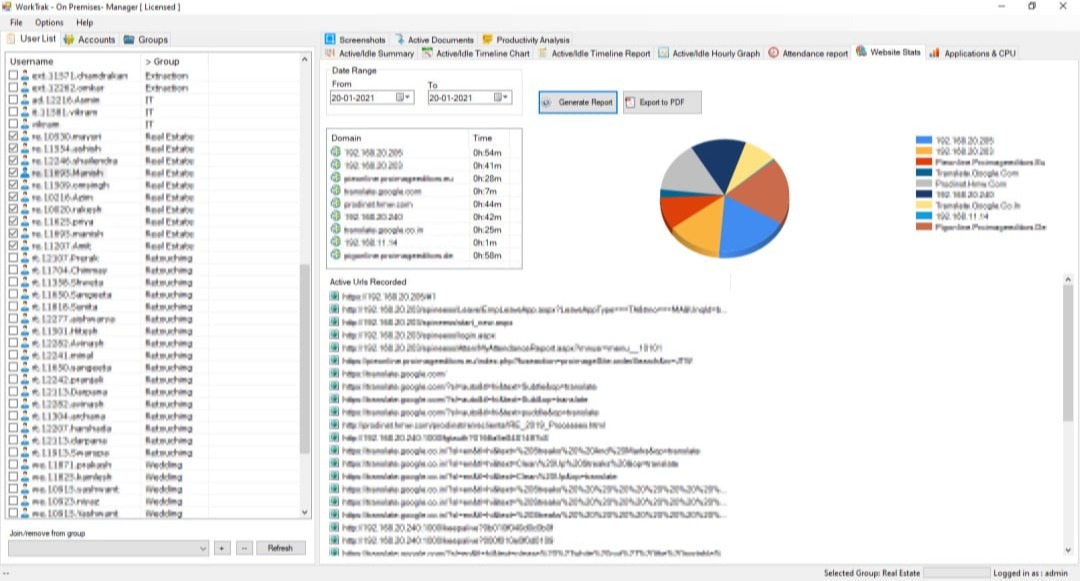
2. Website Usage Tracking and Browsing History
Gain deep visibility into your team’s browsing habits with internal website usage tracking. Perfect for monitoring departmental internet patterns (such as digital asset or development teams), this feature helps enforce compliance. Select a team, choose your timeframe, and instantly review structured analytical breakdown reports.
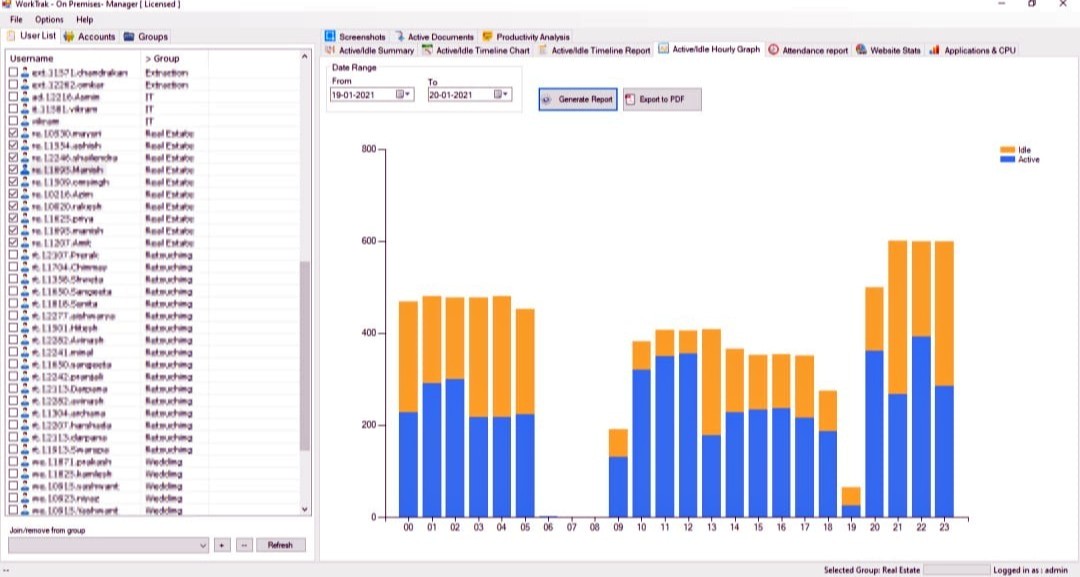
3. Active and Idle Time Analytics
Identify peak operational hours and downtime trends using advanced active and idle time tracking. Pinpoint employee engagement down to the exact hour of the day. Use these behavioral insights to optimize workplace workflows, adjust break schedules, and boost overall workforce efficiency.
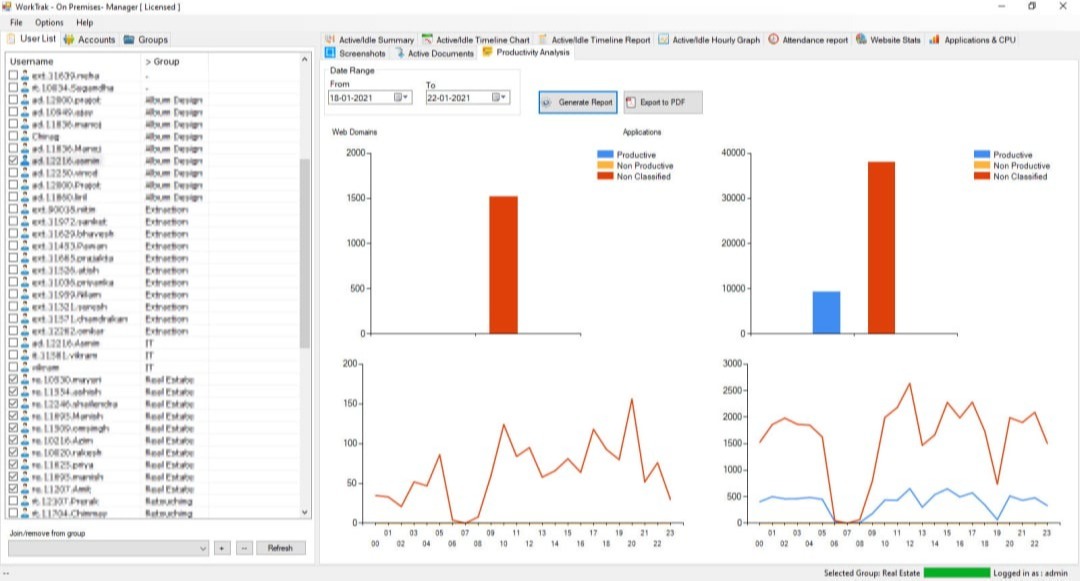
4. One-Click Productivity Analytics
Evaluate overall workforce efficiency instantly with one-click productivity analysis. Categorize specific software and web applications as productive or non-productive to automatically segment user habits and measure true output across departments.
Minimum System Requirements
WorkTrak Server Instance: Windows 10 and above / Windows Server equivalents.
Client Workstations: Windows 10 (32/64-bit) and above, Mac OS
Storage Capacity: 20 GB of storage supports up to 6 months of historical data for 1,000 client nodes.
Framework Requirements: .Net Framework 4.5+ for client endpoints; .Net Framework 4.6 for the WorkTrak Server.
