

A keylogger is software or hardware that records what a person types on a keyboard. Criminals use keyloggers to steal passwords and card details, and a few organisations use keystroke recording for narrowly defined security or investigative work. In India, installing one without the owner's permission can create liability under the Information Technology Act, 2000, and recording keystrokes inside an organisation raises separate privacy and proportionality questions. This guide explains how keyloggers work, the main types, how they differ from monitoring that only counts keystrokes, and what an employer should settle before monitoring anything.
How a keylogger works
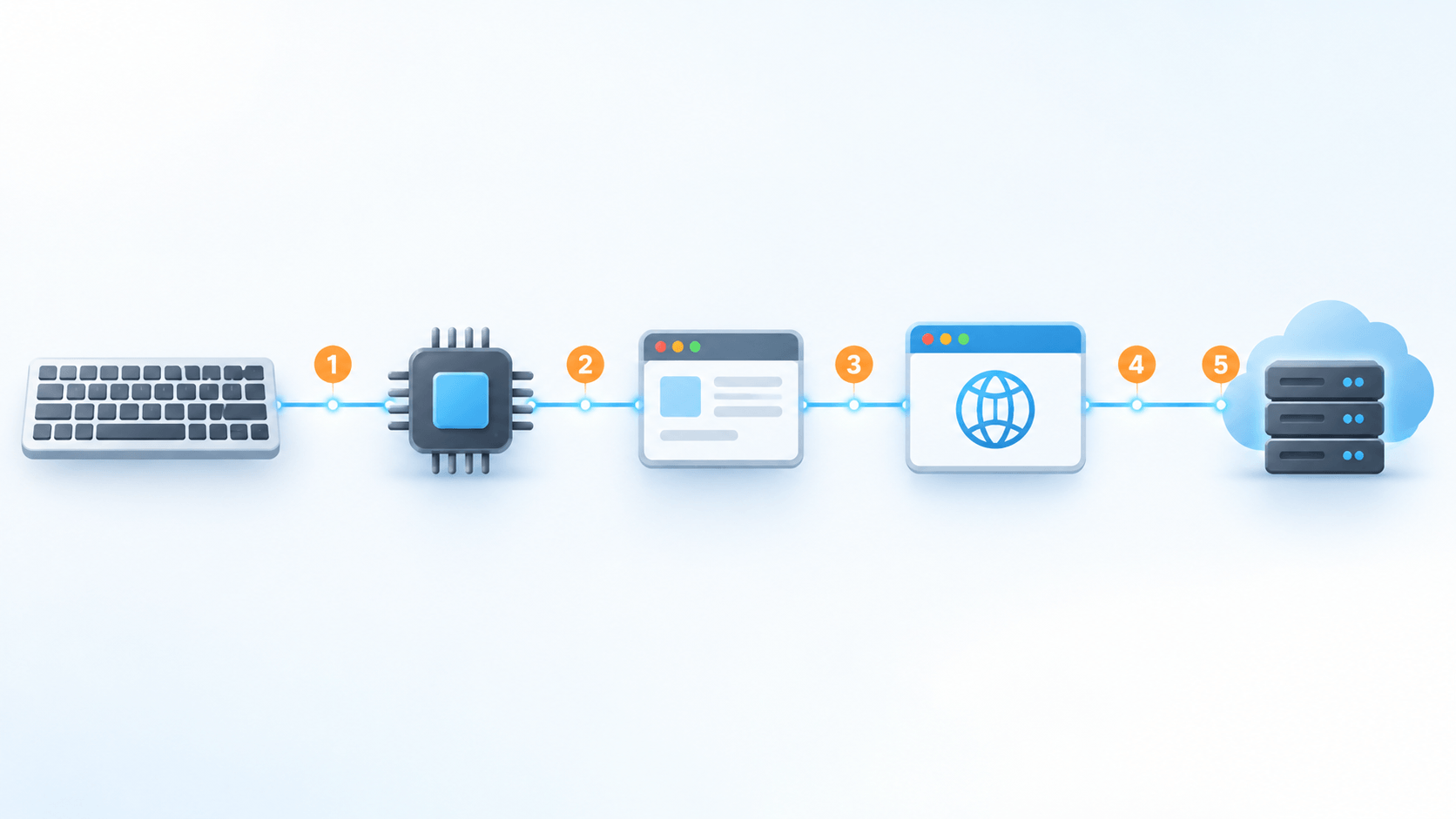
When someone presses a key, the signal passes from the keyboard through the operating system to an application, and from there, possibly, to a website. A keylogger sits at one point along that path, copies what passes through, and stores it or sends it elsewhere. Where it sits determines what it can see and how hard it is to find.
Software keyloggers
Software keyloggers run on the device itself. The MITRE ATT&CK knowledge base, which catalogues real attacker techniques, lists several ways to capture keystrokes: hooking the operating system functions that process key presses, reading raw input from the keyboard buffer, and installing custom drivers. It also notes that this technique is hard to prevent with controls alone because it abuses normal system features, so detection depends on spotting unusual behaviour.
Hardware keyloggers
A hardware keylogger is a small physical device placed between the keyboard and the computer, or built into the keyboard. It needs physical access to install, stores or transmits what it captures, and is invisible to software scans because it is not running on the computer at all.
| Type | Where it operates | What makes it notable |
|---|---|---|
| API or hook-based | Uses standard operating system interfaces to log key presses | Its behaviour resembles legitimate programs, so it can be hard to spot |
| Kernel-level | Runs deep in the operating system with administrator access | Can evade ordinary antivirus tools |
| Form-grabbing | Captures the contents of a web form when it is submitted | Can read details such as passwords or card numbers before encryption |
| JavaScript-based | Malicious script inside a web page | Delivered through compromised or injected web content |
| Memory-resident (fileless) | Runs only in system memory | Leaves little on disk for file-based scans to find |
| Hardware | Physical device on the keyboard cable or inside the keyboard | Requires physical access and does not show up in software scans |
Type descriptions are summarised from Trend Micro's keylogger overview (a security vendor) and the MITRE ATT&CK entry for keylogging.
Why malicious keyloggers are dangerous
A keylogger captures credentials at the moment they are typed, which is why attackers use it when other ways of obtaining passwords fail. The harm does not stop with one stolen login. Typed text also includes personal messages, search terms and financial details, and whoever holds the log holds all of it.
Typical routes onto a device include phishing emails with infected attachments, trojanised or pirated software, malicious browser extensions, compromised websites and infected USB devices. Hardware keyloggers arrive through physical access, such as an unattended desk or a shared computer.
Legitimate uses, and where they stop
Keystroke recording is not always malicious in purpose. Examples that organisations and researchers describe include:
- authorised security testing and malware research, where the people involved know what is being recorded;
- digital forensics carried out under proper legal authority;
- narrowly scoped monitoring of organisation-owned devices for security reasons, with a written policy that employees have seen;
- parental controls on a child's device, which is a different relationship from employment.
Even in these cases, keystroke content is among the most sensitive data an organisation can collect. A log of everything an employee types can include their personal passwords, banking sessions, health searches and messages to family. That is why most responsible employers look for less intrusive ways to meet the same goal, and why the log itself becomes a security risk that someone has to protect.
Keylogger or monitoring software: what is actually recorded
Employee monitoring tools differ widely in what they collect. The useful question is not whether a tool "tracks keystrokes" but what it keeps. The table below orders four common approaches from the least to the most intrusive. The ordering reflects our own assessment of how much personal content each approach can expose, not a legal classification.

| Approach | What is recorded | Typical purpose |
|---|---|---|
| Interaction counts | How many keystrokes and clicks occurred in a period, not which keys | Separating active time from idle time |
| App and website usage | Names of applications and sites, window titles and time spent | Understanding where working time goes |
| Periodic screenshots | An image of the screen at set intervals | Proof of work, for example for client billing |
| Keylogging | The actual characters typed | Security investigations or covert surveillance |
Worktrak's activity intensity tracking sits in the first row. According to its feature page, it reports hourly totals of keystrokes and mouse clicks and does not log the characters typed, passwords or messages. Counts are a weak proxy for output, and they do not tell you whether someone is doing good work, as we discuss in our look at how monitoring affects productivity. Counting is also still monitoring. Other features sit further down the table: Worktrak's optional screenshots can show on-screen content, and app and website usage tracking records which applications and sites are used. Whatever mix an organisation chooses, the same discipline applies: decide the purpose, collect the least data that serves it, and tell people.
Is using a keylogger legal in India?
The Information Technology Act, 2000
Section 43 of the IT Act applies to a person who, "without permission of the owner or any other person who is in charge of a computer, computer system or computer network," accesses it or downloads, copies or extracts data from it, among other acts. Section 66 makes the same acts a criminal offence when done dishonestly or fraudulently, punishable with imprisonment of up to three years, a fine of up to five lakh rupees, or both.
Permission from the owner or person in charge is therefore central. Secretly installing a keylogger on someone else's phone or personal laptop, or using one to harvest passwords, is the kind of conduct these sections address. An employer that owns a computer and authorises monitoring on it is in a different position on that narrow point, but the IT Act does not settle whether recording everything an employee types is proportionate or lawful under other rules, including data protection law.
The Digital Personal Data Protection Act, 2023
Typed content linked to an identifiable employee is personal data. India's Digital Personal Data Protection (DPDP) Act was passed in 2023, and the Government of India notified the DPDP Rules, 2025 in November 2025 with an 18-month phased timeline. Published summaries of the Rules, such as this one from a law firm, state that the provisions on the Board and definitions took effect on 13 November 2025, and that most of the substantive duties for organisations, including notice, security safeguards and breach reporting, apply from 13 May 2027. Check the dates against the official notification before relying on them.
Summaries by Indian law firms, such as this one on employee data, describe Section 7 of the Act as allowing processing for the purposes of employment or for safeguarding the employer from loss or liability, in some cases without consent. Two cautions follow. First, that ground is tied to those purposes, so monitoring that serves neither is not covered. Second, the Act's wider duties still apply to an employer that handles personal data, including keeping data secure, using it only for the stated purpose, deleting it when the purpose ends and handling breaches. An employer that tells its workforce nothing will find it hard to defend a decision to record their keystrokes.
How the risk looks in practice
The table below is our general reading, not a legal opinion. It shows how the factors above tend to combine.
| Scenario | Likely risk | Why |
|---|---|---|
| Hidden keylogger on an employee's personal phone or laptop | Very high | No authority from the owner, which is the situation Sections 43 and 66 address |
| Hidden keylogger on a company laptop, no policy, captures everything | High | No notice, no clear purpose, personal logins captured, and a sensitive log to protect |
| Disclosed keystroke recording on specified company systems, narrow security purpose, legal sign-off | Lower, still significant | Needs a strong justification, tight access controls and short retention |
| Disclosed policy covering interaction counts only | Lower | Far less personal content collected, though it remains personal data |
Laws in other countries treat workplace interception differently, and some are stricter. If your organisation operates outside India, take local advice for each country.
What to settle before monitoring keystrokes or anything else
<!--
- State the purpose in one sentence. "Investigate a specific security incident" is a purpose. "Make sure staff are working" is not specific enough to justify recording content.
- Ask whether a less intrusive method would do. Access logs, USB policy, application allow-lists and endpoint security solve many security problems without reading what anyone types.
- Limit scope to organisation-owned devices and work systems. Exclude personal accounts and personal devices.
- Write the policy and get acknowledgement. Say what is collected, why, who can see it and how long it is kept.
- Keep personal credentials out. If content is ever captured, set rules that stop passwords and private accounts from being logged or stored.
- Restrict access and keep an audit trail. Fewer people should be able to see the data than can see an ordinary HR file.
- Set retention and deletion. Keep data only as long as the purpose requires, then delete it.
- Protect the stored data. A keystroke archive is a prize target for attackers.
- Review it with counsel. Repeat the review when the law or the use changes, including when the DPDP Act's duties begin to apply.
How IT teams can find and prevent malicious keyloggers
Signs of a software keylogger include unexplained processes, keyboard lag, unexpected crashes and slow browsing, though capable keyloggers may show none of them. Practical steps for IT administrators:
- Keep operating systems, browsers and applications patched.
- Use endpoint security with behavioural detection. MITRE describes detection analytics that look for programs using keyboard-hooking functions when they have no reason to, or unexpected processes reading keyboard input devices.
- Require multi-factor authentication so a captured password alone is not enough.
- Train staff to recognise phishing and to avoid pirated software and unvetted browser extensions.
- Inspect keyboard cables and USB ports on shared or unattended machines for hardware devices, and restrict what can be plugged in.
A log of connected USB devices, such as the one in Worktrak's USB activity monitoring, can help enforce a removable-device policy. It is not a keylogger detector and should not be treated as one.
The practical takeaway
The choice for most organisations is not between keylogging and no visibility. It is how much data they need to collect to answer a specific question, and whether they can explain that to the people affected. Methods that record counts or categories, disclosed in a clear policy, are easier to justify and safer to store than a log of every character typed.
Sources
- MITRE ATT&CK, Input Capture: Keylogging (T1056.001).
- Trend Micro, What Is a Keylogger? (vendor overview).
- Information Technology Act, 2000, Sections 43 and 66, text as published by PRS Legislative Research.
- Press Information Bureau, Government of India, DPDP Rules notified, 14 November 2025.
- HLC, India's Digital Personal Data Protection Act 2023 brought into force (law firm summary of commencement dates).
- Association of Corporate Counsel, Impact of the Digital Personal Data Protection Act on employee data in India (law firm summary).